The post The Best 15 Trending SaaS Tools in 2025 appeared first on Ikonik Digital Agency | Digital Marketing & Web Development Agency | Jamaica.
]]>The Best 15 Trending SaaS Tools in 2025
Software as a Service (SaaS) continues to revolutionize how businesses operate, providing cloud-based software that increases productivity, streamlines workflows, and optimizes efficiency. In 2025, the SaaS market will be more revolutionary than ever before, with cutting-edge tools that can accommodate several business needs, from project management to security and automation using artificial intelligence. Start-ups as well as corporations rely heavily on these tools to stay competitive. Here, we explore the top 15 most in-demand SaaS tools of 2025, changing businesses and helping companies reach new levels of success. Recent data shows that 78% of businesses use SaaS solutions to store critical business information, and 54% adopt these tools to enhance productivity.
1. Notion AI
Notion AI takes the already robust Notion workspace to the next level by incorporating artificial intelligence for content creation, workflow automation, and project management. The utility assists in writing, brainstorming, and summarizing notes and provides intelligent suggestions to boost productivity. With its additional features of intelligent document structuring, real-time co-editing, and repetitive work automation, Notion AI is something that every business and freelance worker needs to have. With its seamless integration with other productivity solutions, it is an indispensable part of any workflow.
2. ClickUp 3.0
ClickUp 3.0 is the updated version of this widely used project management software, with an improved interface, AI-powered automation of tasks, and greater customizability. This version has, along with it, more intelligent workload management, an interactive dashboard, and real-time team collaboration features, making the teams efficient. All kinds of businesses welcome ClickUp 3.0’s third-party tools of preference integration so their workflow is effortless. From managing projects and goal setting to managing documents, ClickUp 3.0 continues to be a game-changer for productivity software.
3. Jasper AI
Jasper AI is still at the forefront of AI-driven content creation in 2025. Offering companies and marketers powerful tools for generating quality written content. From crafting blog posts, marketing materials, or social media updates, Jasper AI uses sophisticated natural language processing to generate compelling and relevant content. Tone modification, content organization, and search engine optimization are some of the features the tool provides, and it is a treasure trove of capabilities for digital marketing teams. With constant updates and learning features, Jasper AI continues to improve its effectiveness and efficiency.
4. Zapier
Zapier is still the automation leader by allowing users to connect various apps and automate repetitive workflows without coding. With broader integrations in 2025, Zapier supports more apps and provides AI-suggested recommendations for automation sequences. Companies use Zapier to automate tasks such as data entry and email notifications so that workers can devote time to productive strategy work. With its user-friendly GUI and pre-designed automation patterns, it makes the tool familiar and easy to use for even non-techy professionals of any skill level, making it an invaluable productivity driver.
5. Airtable
Airtable has evolved from a simple database tool to a comprehensive SaaS platform for managing data, projects, and workflows. Its clean but sophisticated user interface allows customers to create dynamic databases with filtering, sorting, and automation functionality. Airtable includes AI-driven insights, predictive analytics, and stronger integrations with productivity software by 2025. Firms use Airtable to track campaigns, monitor inventories, and streamline processes, making it one of the most versatile and practical SaaS tools today.
6. Grammarly Business
Grammarly Business is an advanced writing assistant with professional and corporate communication as its focus. In 2025, Grammarly Business goes beyond grammar check and offers AI-powered content recommendations, plagiarism inspection, and tone analysis. Companies apply Grammarly Business to deliver transparent, concise, and professional communication in emails, reports, and customer communications. With real-time collaboration features and built-in integrations with workplace applications like Slack and Google Docs, Grammarly Business has turned into a necessity for companies with a concentration on effective communication.
7. Trello AI
Trello AI enhances the traditional Kanban-style task management system with artificial intelligence in order to optimize workflow organization. The new features powered by artificial intelligence include predictive scheduling of tasks, reminders, and smart task prioritization recommendations. Trello AI facilitates teams to work more effectively by making task assignment easier and increasing visibility into project status. With greater integration with communication tools like Microsoft Teams and Slack, Trello AI remains one of the top SaaS project management tools in 2025.
8. Miro
Miro is a whiteboard and collaboration platform that has gained traction with hybrid and remote teams. The platform’s 2025 version incorporates AI-powered brainstorming tools, enhanced real-time collaboration software, and smart industry-specific templates. Businesses use Miro to coordinate brainstorming meetings, develop strategy, and map work flows. With its simplicity and deep integrations, Miro continues to be one of the top SaaS offerings for teams that have to spur innovation and collaboration.
9. Monday.com
Monday.com remains one of the most feature-packed work management platforms, with a range of tools for tracking projects, automating workflows, and team collaboration. In 2025, the platform features sophisticated AI capabilities like predictive task assignment and auto-reporting. With dynamic dashboards and natively integrated CRM platforms and marketing systems, Monday.com is ideally suited for companies that wish to automate operations. The simplicity of the platform makes it accessible to teams across various industries.
10. HubSpot AI
HubSpot AI adds to the widely used CRM solution with artificial intelligence for sales forecasts, customer insights, and marketing strategy. Businesses leverage HubSpot AI to optimize lead generation, provide customized customer interactions, and increase sales figures through strong AI-driven analytics. Predictive modeling available through the platform helps businesses make smart business decisions, resulting in effective marketing and sales campaigns. With an easy-to-use interface and powerful integration features, HubSpot AI is one of the best SaaS tools for growing companies in 2025.
11. Slack GPT
The latest version of the ubiquitous workplace communication software, Slack GPT includes AI-powered message summarization, smart responses, and automated workflows. The latest version contributes to workplace collaboration by reducing unnecessary meetings and enabling brief, transparent communication. Intelligent alerts by Slack GPT stay the team focused, while analytics powered by AI allow insight into the engagement levels and productivity of employees. Supported by maximum levels of security as well as by simple integrations. Slack GPT is an essential tool even for today’s workplaces.
12. Asana AI
Asana AI makes project management easier through the use of artificial intelligence to make scheduling tasks simpler, deadline forecasting, and reporting. Smart features assist the teams to make it easy to keep track of workloads and avoid work while correcting progress. The teams will be in a position to anticipate probable bottlenecks before they are a problem with the help of the predicted feature of Asana AI. Because it has an amazingly massive interface and great automating capabilities, Asana AI is still among the most flawless solutions in project management automation.
13. CyberArk SaaS
CyberArk SaaS is a great security solution for organizations in need of protecting sensitive information and providing user access. AI threat detection, automatic compliance reporting, and biometric authentication capabilities are the features of the platform in 2025. CyberArk SaaS is used by organizations to protect digital resources from cyber attacks and provide secure access management via cloud infrastructures. As security is the number one priority, CyberArk SaaS is a fundamental building block for such organizations in need of sophisticated security and compliance capabilities.
14. Canva Pro AI
Canva Pro AI revolutionizes graphic design with AI that provides auto-suggestions, auto-resizes smartly, and tailors content. Businesses with Canva Pro AI, a SaaS platform, can design business-grade images without requiring any extensive design expertise. Canva Pro AI by 2025 provides more advanced collaboration capabilities, asset management, and live feedback for designs. It is therefore the ideal solution for marketers, content creators, and businesses requiring strengthening the visual identity.
15. Zoho CRM Plus
Zoho CRM Plus is an integrated customer relationship management solution featuring sales, marketing, and customer support. Its 2025 version has AI-based sales forecasting, customer analysis, and enhanced automation capabilities. Zoho CRM Plus is leveraged by companies to automate interactions with customers, boost lead conversions, and identify consumer behavior.
Strong integration and automation powers make Zoho CRM Plus one of the best CRM solutions available in the market.
Conclusion
The SaaS ecosystem of 2025 is packed with the latest tools that help businesses smart work, automate, and synergize. Whether it is project management software based on artificial intelligence or advanced cybersecurity software. These top 15 most used SaaS tools help businesses become more efficient and productive. As long as businesses are still embracing digital transformation, integrating these tools into their business will be the only method to stay ahead of the curve. For businesses or entrepreneurs, the appropriate SaaS tools will be the key to success in today’s fast-moving digital world.
The post The Best 15 Trending SaaS Tools in 2025 appeared first on Ikonik Digital Agency | Digital Marketing & Web Development Agency | Jamaica.
]]>The post Cut Inventory Errors by 70%: Automate Your Hotel’s Inventory Management Now appeared first on Ikonik Digital Agency | Digital Marketing & Web Development Agency | Jamaica.
]]>The Power of Automating Hotel Inventory Management: A Path to Efficiency and Savings
In the fast-paced hospitality industry, effective inventory management plays a pivotal role in ensuring guest satisfaction while also keeping costs in check. Managing inventory manually is a time-consuming process, and errors can easily occur. But with advancements in technology, automating inventory management has become more accessible, providing numerous benefits to hotels.
In this article, we will explore how automating inventory management can streamline operations, reduce errors, and drive cost savings. We will also delve into real-world examples of successful implementations and provide actionable tips for hotel owners and managers to embrace this transformative technology.
Why Should You Automate Your Hotel’s Inventory Management?
The hospitality industry is highly competitive, and maintaining operational efficiency is key to running a successful hotel. Automating inventory management offers a range of advantages that directly impact your bottom line. Here’s why you should consider automating your hotel’s inventory:
1. Enhanced Efficiency
Manual inventory management processes are often slow and prone to mistakes. Automating these tasks means fewer human interventions and faster decision-making. Hotel staff can spend less time on routine tasks and focus on providing excellent customer service or other critical areas of the business. Whether it’s updating stock levels or ordering supplies, automation makes these tasks quicker and more accurate.
2. Improved Accuracy
One of the most significant challenges of manual inventory management is the likelihood of errors. Data entry mistakes, misplaced items, and incorrect stock counts can cause serious operational disruptions. Automated systems track inventory in real-time and use advanced algorithms to monitor supply levels, ensuring that no item is overstocked or understocked. This improves overall accuracy and reduces the risk of costly mistakes.
3. Significant Cost Savings
Overstocking and understocking are common problems in the hotel industry. Overstocking leads to wastage, while understocking results in missed opportunities or unhappy guests. With automated inventory management, these issues are minimized. The system automatically adjusts orders based on demand, which helps avoid unnecessary inventory and saves money. Moreover, tracking supplier prices and taking advantage of discounts can help hotels secure the best deals and further optimize costs.
4. Real-Time Data Access
Automated inventory systems provide up-to-the-minute data on stock levels, usage, and demand forecasts. This information allows hotel managers to make informed decisions quickly. Whether you’re deciding how much to order for a busy season or analyzing a product’s performance, having access to real-time data can greatly enhance your decision-making capabilities.
Case Studies: How Big Hotel Brands Are Leading the Way
To better understand the real-world benefits of automating inventory management, let’s take a closer look at a few major hotel brands that have successfully implemented these systems.
Case Study 1: The Westin Hotel, New York
The Westin Hotel in New York City decided to automate their inventory management system to streamline their procurement process. The system integrates directly with their purchasing software, allowing them to automate everything from ordering to payment. When inventory levels dip below a predefined threshold, the system generates automatic purchase orders, ensuring supplies are always in stock.
The results have been outstanding. The hotel has seen a marked reduction in manual labor, increased efficiency, and better control over inventory levels. Their procurement team now spends less time on low-value tasks and has more bandwidth to focus on strategic initiatives.
Case Study 2: Hilton Hotels
With over 5,000 properties worldwide, Hilton Hotels implemented an automated inventory system to standardize and streamline their processes across various locations. The system not only tracks inventory in real time but also generates automatic purchase orders when stock levels reach a set minimum. Moreover, it tracks supplier prices, allowing Hilton to negotiate discounts and keep procurement costs low.
The automation of inventory management has led to a significant reduction in waste due to overstocking and a better alignment of supply levels with actual demand, ultimately enhancing operational efficiency.
Case Study 3: Marriott International
Marriott International, a global leader with over 7,000 hotels, also adopted an automated inventory management system. Their solution integrates with both their purchasing software and accounting systems, giving them full visibility of inventory, pricing trends, and stock levels across all locations.
The implementation of automation helped Marriott optimize inventory based on demand patterns, negotiate better deals with suppliers, and reduce waste. The improvements have not only resulted in cost savings but have also led to higher staff productivity and fewer stock-related disruptions.
Best Practices for Automating Your Hotel’s Inventory Management
Adopting automation for your hotel’s inventory management is a game-changer, but it’s essential to follow best practices to make the most of it. Here are some critical steps for successful automation:
1. Define Your Inventory Management Process
Before automating, take the time to clearly define your inventory management process. Understand what items you need to track, what your inventory thresholds are, and how frequently you need to order supplies. Setting up a system that aligns with your unique business needs will ensure smoother automation and better outcomes.
2. Choose the Right Inventory Management Software
With a wide variety of software options available, selecting the right one is key. Look for a solution that is easy to use, scalable, and integrates seamlessly with your existing systems, such as purchasing or accounting software. A robust system will allow you to monitor real-time stock levels, generate automatic purchase orders, and track supplier pricing.
3. Train Your Staff
Automation only works if your team knows how to use the software properly. Ensure your staff receives proper training on data entry, report generation, and how to interpret inventory data. This training will minimize errors and help employees take full advantage of the system’s capabilities.
4. Regularly Review and Optimize Your Process
Automating your inventory management doesn’t mean setting it and forgetting it. Regularly review your inventory processes, evaluate system performance, and make adjustments as needed. This will ensure your system is always working optimally and continues to meet your business goals.
5. Integrate Your Inventory System with Other Business Functions
Integration is crucial. Ensure that your inventory management system works seamlessly with other systems in your hotel, such as purchasing, accounting, and procurement platforms. This will create a more cohesive workflow, reducing errors and saving time by eliminating the need for double entry.
Conclusion: The Future of Hotel Inventory Management is Automated
The hotel industry is evolving, and automation is the key to staying competitive. Automating inventory management helps increase operational efficiency, reduce waste, and save money—all of which are crucial for business growth in a competitive landscape.
By looking at successful case studies from The Westin, Hilton, and Marriott, we see how automation can revolutionize inventory management processes. Implementing an automated system not only enhances accuracy but also frees up valuable staff time, allowing them to focus on providing exceptional guest experiences.
However, transitioning to an automated system requires careful planning, the right software, and effective training for your staff. With the right tools in place, hotels can significantly enhance their operational efficiency and reduce costs.
Ready to explore how automation can streamline your hotel’s inventory management? Contact Ikonik Digital today at [email protected] to discuss how we can help you implement a tailored solution that fits your needs.
The post Cut Inventory Errors by 70%: Automate Your Hotel’s Inventory Management Now appeared first on Ikonik Digital Agency | Digital Marketing & Web Development Agency | Jamaica.
]]>The post Boost Restaurant Efficiency by 30%: Why You Need Automation NOW appeared first on Ikonik Digital Agency | Digital Marketing & Web Development Agency | Jamaica.
]]>How Automation Can Revolutionize Your Restaurant Operations
The restaurant industry is always evolving, presenting new challenges to owners and managers who are striving to stay competitive and profitable. With an increasing demand for efficiency, cost reduction, and improved customer experiences, restaurant operators are constantly looking for innovative solutions. One of the most effective ways to meet these demands is through automation.
In recent years, automation technology has become more sophisticated and accessible, enabling restaurants of all sizes to implement automated systems. From order taking to cooking, cleaning, and customer service, automation can streamline many aspects of restaurant operations, reduce human error, and enhance the overall customer experience.
In this article, we will explore how automation can benefit your restaurant, share real-life case studies of successful implementations, and offer insights into overcoming the challenges of automation integration.
The Benefits of Integrating Automation Into Your Restaurant
1. Increased Efficiency and Productivity
Integrating automation into your restaurant operations can drastically improve efficiency and productivity. By automating repetitive tasks like taking orders, preparing food, and cleaning, you can save time and reduce operational bottlenecks.
For example, automated order-taking systems can allow customers to place their orders quickly and accurately, without the need for manual data entry. This not only speeds up the ordering process but also minimizes errors, leading to smoother operations and improved service.
Case Study: McDonald’s
McDonald’s is a global leader in the fast-food industry and has embraced automation to streamline operations. The company introduced self-service kiosks in many locations, allowing customers to place their own orders and pay without assistance. This innovation has resulted in reduced wait times, enhanced order accuracy, and improved customer satisfaction, all of which have contributed to increased sales.
2. Improved Quality Control
Another key benefit of automation is improved quality control. Automated systems can closely monitor cooking processes to ensure that food is prepared at the right temperature and for the correct amount of time. This reduces the likelihood of food being undercooked or overcooked, ensuring that every dish meets the restaurant’s quality standards.
Case Study: Domino’s Pizza
Domino’s Pizza is known for its use of technology to enhance operations. One example is the “pizza tracker,” an automated system that allows customers to track their orders in real time. From the moment the pizza is prepared to when it is out for delivery, the system provides updates to customers. Not only does this improve order accuracy, but it also reduces delivery times, leading to better customer experiences.
3. Reduced Labor Costs
Labor costs are a significant expense for restaurants, and automation can help minimize these costs by replacing tasks typically handled by human workers. Automated systems can perform many functions, such as taking orders, preparing meals, and even cleaning up, reducing the need for a large staff.
Case Study: Eatsa
Eatsa is an innovative fast-food chain that operates with minimal human staff. Customers place their orders via self-service kiosks, and automated cooking equipment prepares the food. Once the meal is ready, it is placed in a cubby for the customer to pick up. This automated process allows Eatsa to operate efficiently with fewer employees, resulting in lower labor costs and increased profitability.
4. Enhanced Customer Experience
Customer satisfaction is crucial for repeat business, and automation can play a vital role in enhancing the overall customer experience. By streamlining ordering processes, reducing wait times, and eliminating errors, automation creates a more seamless and enjoyable dining experience for customers.
Case Study: Starbucks
Starbucks has integrated mobile ordering and payment technology across many of its locations. Customers can place their orders via the Starbucks mobile app, prepay, and simply pick up their drinks upon arrival. This system reduces wait times, improves order accuracy, and creates a more efficient experience for customers, ultimately boosting customer satisfaction and loyalty.
5. Improved Data Management
Another benefit of automation is better data management. Automated systems can collect and analyze valuable data on customer orders, inventory, and sales. This data can be used to make more informed decisions about menu offerings, pricing strategies, and inventory management.
Case Study: Panera Bread
Panera Bread has integrated an automated ordering system at many of its locations, where customers can place orders through self-service kiosks or the Panera mobile app. The system tracks customer orders, providing Panera Bread with valuable insights into customer preferences, ordering trends, and sales performance. By analyzing this data, the company can optimize menu offerings and improve customer service.
Challenges of Implementing Automation in Restaurants
While the benefits of automation are clear, there are challenges associated with its implementation that restaurant owners and managers must consider. Below are some of the most common obstacles:
1. High Initial Costs
One of the primary challenges of automation is the cost of implementation. Installing and maintaining automated systems can be expensive, especially for smaller restaurants that may have limited budgets. It is important for restaurant owners to weigh the potential long-term savings against the initial investment.
2. Technical Glitches and Malfunctions
Automation systems are not immune to technical issues. If an automated system fails or malfunctions, it can disrupt operations and lead to delays or loss of sales. Restaurant owners should plan for regular maintenance and have backup solutions in place to minimize the impact of potential technical glitches.
3. Training and Staff Adaptation
Staff members may need time to adapt to new automation systems. Employees who are not familiar with these technologies may face a learning curve, leading to initial confusion or resistance. Proper training and clear communication are crucial to ensure that staff members are comfortable and confident using the new systems.
Overcoming Automation Challenges: Tips for Success
To successfully integrate automation into your restaurant, consider the following strategies:
1. Start Small and Scale Gradually
Rather than implementing automation across all aspects of your operations at once, consider starting with a few key areas. For example, you can begin by automating the ordering process with self-service kiosks or mobile ordering and then gradually expand to other areas, such as inventory management or payment processing.
2. Invest in Reliable Technology
When selecting automation systems, prioritize quality and reliability. Choose solutions from reputable vendors with strong customer support and a proven track record of success. This can help minimize the risk of technical glitches and ensure that your systems operate smoothly.
3. Focus on Staff Training
To ensure a smooth transition, invest in comprehensive training programs for your staff. Make sure employees understand how the automation systems work and how they can benefit from using them. This will help reduce resistance and ensure that your team is fully onboard with the changes.
4. Measure and Evaluate Performance
After implementing automation, regularly evaluate the performance of your systems. Monitor key metrics such as order accuracy, customer satisfaction, labor costs, and profitability to gauge the effectiveness of your automation efforts. Use this data to make any necessary adjustments and optimize your systems.
Conclusion: Is Automation the Key to Restaurant Success?
In today’s competitive restaurant landscape, automation offers tremendous potential to improve efficiency, reduce costs, and enhance the customer experience. As demonstrated by successful case studies like McDonald’s, Domino’s, and Starbucks, automation can help restaurants increase productivity, reduce labor expenses, and provide a better experience for customers.
However, integrating automation is not without its challenges. Restaurant owners must carefully consider the costs, potential technical issues, and training needs before implementing automation systems. With the right planning and execution, automation can be a game-changer for your restaurant, helping you stay ahead of the competition and boost your bottom line.
If you’re ready to explore how automation can benefit your restaurant, or if you need assistance with your restaurant’s digital strategy, reach out to Ikonik Digital at [email protected]. Our team of experts is here to help you implement the right automation solutions to optimize your operations and take your business to the next level.
The post Boost Restaurant Efficiency by 30%: Why You Need Automation NOW appeared first on Ikonik Digital Agency | Digital Marketing & Web Development Agency | Jamaica.
]]>The post Unlock 3x More Conversions with These Proven Marketing Automation Strategies appeared first on Ikonik Digital Agency | Digital Marketing & Web Development Agency | Jamaica.
]]>Digital Marketing Automation: Tools and Strategies
Introduction
Businesses must optimize their marketing efforts to stay ahead of the competition. Digital marketing automation helps streamline tasks, improve efficiency, and maximize ROI. But how can you leverage automation effectively?
In this guide, we’ll explore the top tools and strategies to help you automate your digital marketing efforts, engage your audience, and boost conversions.
What is Digital Marketing Automation?
Digital marketing automation involves using software and technology to execute repetitive marketing tasks efficiently. It allows businesses to nurture leads, personalize customer interactions, and scale their marketing efforts with minimal manual intervention.
By automating key processes, businesses can:
- Save time and reduce workload.
- Improve lead generation and nurturing.
- Enhance customer engagement through personalized content.
- Track and analyze campaign performance.
With the right tools and strategies, automation can transform how you connect with your audience and grow your business.
Essential Digital Marketing Automation Tools
Choosing the right tools is crucial for an effective automation strategy. Here are some of the best tools available:
1. Email Marketing Automation
- Mailchimp – Great for small businesses with easy-to-use automation features.
- HubSpot – Offers advanced email workflows and CRM integration.
- ActiveCampaign – Provides powerful automation and segmentation options.
2. Social Media Scheduling and Automation
- Hootsuite – Schedule posts, track engagement, and manage multiple accounts.
- Buffer – User-friendly tool for scheduling and analytics.
- Sprout Social – Offers social listening, analytics, and automation.
3. Lead Generation and Nurturing
- OptinMonster – Helps capture leads with pop-ups and forms.
- Pardot (by Salesforce) – Advanced B2B lead nurturing tool.
- Drip – Ideal for eCommerce businesses with automated workflows.
4. Chatbots and Customer Engagement
- Drift – AI-driven chatbots for real-time engagement.
- ManyChat – Helps automate Facebook Messenger marketing.
- Tidio – Affordable chatbot solution for small businesses.
5. Analytics and Reporting
- Google Analytics – Tracks website traffic and user behavior.
- SEMrush – Provides SEO and content marketing insights.
- Hotjar – Visual heatmaps and session recordings for better UX insights.
Each of these tools plays a vital role in automating different aspects of digital marketing, from lead capture to engagement and analytics.
Effective Digital Marketing Automation Strategies
Now that we’ve covered the tools, let’s dive into key strategies for successful digital marketing automation.
1. Segment Your Audience
Not all customers are the same. Segmenting your audience based on demographics, behavior, and preferences allows you to personalize content and improve engagement.
For example, eCommerce brands can create different email campaigns for first-time buyers, repeat customers, and abandoned cart users.
2. Create Automated Email Workflows
Email marketing remains one of the most effective digital marketing channels. Use automation to:
- Send welcome emails to new subscribers.
- Deliver abandoned cart reminders.
- Nurture leads with personalized drip campaigns.
- Re-engage inactive customers with special offers.
3. Leverage AI-Powered Chatbots
Chatbots provide instant responses to customer queries, improving user experience and engagement. AI-driven bots can:
- Answer FAQs in real-time.
- Recommend products based on user behavior.
- Qualify leads before handing them over to sales teams.
4. Automate Social Media Posting
Consistency is key in social media marketing. Use scheduling tools to:
- Plan and publish content in advance.
- Automate engagement responses (e.g., thank-you messages, replies to FAQs).
- Track and analyze social media performance.
5. Optimize Lead Scoring and Nurturing
Lead scoring helps prioritize high-intent leads by assigning values based on user actions. Integrate automation tools to:
- Identify hot leads based on website activity.
- Trigger targeted email campaigns for engaged prospects.
- Send automated follow-up messages to nurture potential buyers.
6. Personalize Customer Journeys
Automation allows businesses to deliver personalized experiences at scale. Use dynamic content to tailor emails, website pages, and ads to individual users.
For example, an online store can show personalized product recommendations based on a visitor’s browsing history.
Common Digital Marketing Automation Mistakes to Avoid
While automation can be a game-changer, some businesses make mistakes that hinder success. Here’s what to avoid:
1. Over-Automation
Too much automation can make interactions feel robotic. Balance automation with human touchpoints to maintain authenticity.
2. Ignoring Data and Analytics
Automation tools provide valuable insights. Use analytics to optimize campaigns, track ROI, and refine strategies.
3. Lack of Personalization
Sending generic, automated messages can reduce engagement. Use customer data to personalize communications.
4. Not Testing Workflows
Regularly test and tweak your automated workflows to ensure they perform optimally.
5. Failure to Align with Customer Needs
Your automation strategy should align with your audience’s needs. Monitor feedback and adjust campaigns accordingly.
The Future of Digital Marketing Automation
Automation is continuously evolving. Here are some trends shaping its future:
- AI-Driven Predictive Analytics – AI will predict customer behavior and suggest marketing actions.
- Voice Search Optimization – More brands will optimize content for voice search.
- Hyper-Personalization – AI will help businesses deliver even more personalized experiences.
- Conversational Marketing – Chatbots and AI-powered assistants will play a bigger role in customer interactions.
Final Thoughts
Digital marketing automation is a powerful tool for businesses looking to scale their marketing efforts, improve efficiency, and drive conversions. By choosing the right tools and implementing strategic automation workflows, you can enhance engagement and grow your brand effortlessly.
Are you ready to optimize your digital marketing strategy? Contact Ikonik Digital at [email protected] for expert guidance and tailored solutions.
Let’s take your marketing to the next level with automation!
The post Unlock 3x More Conversions with These Proven Marketing Automation Strategies appeared first on Ikonik Digital Agency | Digital Marketing & Web Development Agency | Jamaica.
]]>The post Cut Hotel Admin Time by 40%: The Power of Business Automation appeared first on Ikonik Digital Agency | Digital Marketing & Web Development Agency | Jamaica.
]]>How Business Automation Can Transform Your Hotel Operations
Running a hotel involves managing numerous operations that demand attention and precision. From reservations to housekeeping, guest services to maintenance, the list of tasks is endless. This can leave your staff overwhelmed and often lead to inefficiencies. However, in today’s fast-paced world, automation offers an effective solution to streamline processes, save time, and increase efficiency. In this article, we’ll explore how business automation can save time and boost efficiency for your hotel, making your operations smoother and your guests happier.
What is Business Automation?
Business automation refers to using technology to streamline and automate various business processes. It involves leveraging software tools and systems to carry out tasks that were previously done manually. Automation is not a new concept, but thanks to advancements in technology, it is now more accessible and affordable for businesses of all sizes.
For hotels, adopting automation can significantly reduce the workload on staff, minimize errors, and boost overall efficiency. This results in higher productivity, improved customer satisfaction, and—most importantly—more revenue.
How Can Business Automation Help Hotels?
Hotels are complex businesses with a multitude of operations. From managing guest bookings to overseeing housekeeping and maintenance, the amount of manual work involved can be overwhelming. Automation can significantly reduce these burdens by streamlining various hotel operations, helping staff work more efficiently and effectively. Let’s look at how automation can make a tangible impact on your hotel’s day-to-day tasks.
Streamlining Reservation and Booking Processes
Reservations are the lifeblood of any hotel. Yet, managing bookings can be both time-consuming and prone to errors. Whether it’s manually inputting guest details or dealing with overbookings, this part of hotel operations can be a logistical nightmare. That’s where automation comes in.
Case Study: The Pod Hotel, New York City
The Pod Hotel in New York City faced the challenge of a high volume of bookings. By implementing an automated booking system, they allowed guests to make reservations online, eliminating manual entry and reducing errors. This system not only cut down on administrative work but also enhanced the guest experience by making it easier to book a stay.
As a result, the hotel reported a 20% increase in online bookings and a 15% increase in overall revenue, all thanks to automation.
Simplifying Check-In and Check-Out Processes
The check-in and check-out process is a critical part of the guest experience, yet it’s often one of the most tedious tasks for hotel staff. Long lines and wait times can leave guests frustrated. Automating this process can simplify it, making it quicker and more convenient for everyone involved.
Case Study: AccorHotels
AccorHotels, one of the largest hotel chains globally, implemented an automated check-in and check-out system. Guests were able to use a mobile app to check in and out of the hotel. This system not only saved time for the staff but also reduced wait times for guests, improving the overall guest experience.
The result? A 70% reduction in check-in and check-out times and a 20% increase in revenue, all thanks to automation.
Enhancing Housekeeping Operations
Housekeeping is another area where automation can make a significant difference. Managing cleaning schedules manually is not only time-consuming but also prone to errors, which can negatively impact the guest experience. Automation allows housekeeping operations to be more organized and efficient, ensuring rooms are cleaned promptly and to a high standard.
Case Study: The Cosmopolitan, Las Vegas
The Cosmopolitan Hotel in Las Vegas faced challenges with coordinating housekeeping tasks. By introducing an automated housekeeping system, they were able to manage room cleaning schedules more efficiently. Staff could track which rooms needed cleaning and when, significantly reducing downtime and errors.
This automation led to a 30% increase in efficiency and a 15% increase in overall revenue for the hotel.
Streamlining Guest Services
Guest services are at the core of every hotel. Whether it’s handling special requests, answering questions, or providing information, guest services are integral to guest satisfaction. However, managing these tasks manually can take a significant amount of time and effort. Automation can enhance the guest experience by simplifying communication and ensuring requests are handled promptly.
Case Study: Four Seasons Hotels and Resorts
Four Seasons Hotels and Resorts implemented an automated guest services system through a mobile app, allowing guests to make requests and provide feedback with ease. This system enabled guests to communicate directly with the hotel, whether for additional services or inquiries.
As a result, the hotel saw a 25% increase in guest satisfaction and a 10% boost in revenue—proof that automation improves both the guest experience and the bottom line.
Improving Maintenance Operations
Maintenance is often a behind-the-scenes operation that plays a huge role in ensuring guest satisfaction. When maintenance issues arise, it’s important to address them quickly to prevent disruptions. Automating maintenance requests and tracking ensures that issues are resolved promptly, keeping both guests and staff happy.
Case Study: InterContinental Hotels Group
InterContinental Hotels Group (IHG) faced challenges with managing maintenance requests manually, leading to delays and inefficiencies. They implemented an automated maintenance system to streamline the process, allowing staff to track and resolve maintenance issues quickly.
The automation resulted in a 40% increase in efficiency and a 20% increase in overall revenue, thanks to faster resolutions and better guest experiences.
The Benefits of Business Automation for Hotels
The advantages of business automation for hotels are clear and far-reaching. Here are some of the most significant benefits:
1. Saving Time
By automating repetitive tasks, hotels can save valuable time for staff and management. Automation reduces the need for manual intervention, freeing up staff to focus on higher-priority tasks, such as guest interactions and improving services.
2. Increasing Efficiency
Automation increases operational efficiency by reducing human error and speeding up processes. For example, automated booking systems eliminate double bookings, while automated housekeeping systems ensure rooms are cleaned in a timely and consistent manner.
3. Improving the Guest Experience
Guests want quick, seamless experiences, from booking their rooms to checking in and out. Automation helps make these processes smoother, reducing wait times and improving satisfaction. Automated systems also ensure that guests’ requests are handled quickly, contributing to a more pleasant stay.
4. Boosting Revenue
Automation reduces costs by streamlining operations, allowing hotels to run more efficiently. Additionally, improved guest experiences lead to higher customer retention and increased bookings, which directly translates to increased revenue.
5. Enhancing Staff Productivity
With automation, staff can focus on more critical, high-value tasks, such as guest engagement and personalized services. Instead of spending time on administrative tasks, your team can work towards creating memorable experiences for your guests.
Embrace Business Automation to Stay Competitive
In the ever-evolving hospitality industry, staying competitive is crucial. As more hotels adopt automation, those that don’t may find themselves falling behind. Business automation not only improves operational efficiency but also enhances the guest experience—key factors that influence a hotel’s long-term success.
Implementing automation does come with its challenges, including the upfront cost of technology and the training required to implement new systems. However, the long-term benefits far outweigh the initial investment. By selecting the right tools and systems for your hotel’s needs, you can unlock significant improvements in operational efficiency and guest satisfaction.
Conclusion: Ready to Automate Your Hotel Operations?
Business automation is no longer a luxury for hotels; it’s a necessity for staying competitive in today’s fast-paced world. From streamlining reservations and check-ins to improving guest services and housekeeping, automation can transform every aspect of your hotel’s operations. The case studies we’ve explored clearly demonstrate the positive impact automation can have on efficiency, guest satisfaction, and revenue.
If you’re ready to embrace automation and take your hotel to the next level, it’s time to start planning. Investing in the right automation systems will help you reduce costs, save time, and create a better experience for your guests.
For assistance with implementing business automation at your hotel or discussing strategies tailored to your needs, don’t hesitate to reach out to Ikonik Digital at [email protected]. Let’s discuss how automation can revolutionize your hotel operations!
The post Cut Hotel Admin Time by 40%: The Power of Business Automation appeared first on Ikonik Digital Agency | Digital Marketing & Web Development Agency | Jamaica.
]]>The post Boost Bookings by 30%: Automate Your Hotel’s Reservation Process Today appeared first on Ikonik Digital Agency | Digital Marketing & Web Development Agency | Jamaica.
]]>How Business Automation Can Revolutionize Hotel Reservations
In today’s fast-paced world, hotels face immense pressure to improve operational efficiency while delivering exceptional guest experiences. Among the many operational facets, the reservation process plays a critical role in shaping guest satisfaction and revenue. Fortunately, with the rise of business automation, hotels can streamline reservations, reduce manual errors, and enhance customer loyalty. Let’s explore how automation is transforming hotel reservation systems and why it’s an investment worth considering.
What Is Business Automation?
Business automation involves using technology to replace repetitive, time-consuming tasks with efficient, automated processes. It enables businesses to reduce operational costs, improve accuracy, and free up staff for more strategic activities. From customer relationship management to financial operations, automation can be applied across various business functions.
In the hospitality industry, automation can revolutionize tasks like room booking, payment processing, and guest communication—particularly within the reservation system.
The Benefits of Automating Hotel Reservation Systems
Hotels encounter unique challenges with traditional reservation processes, including manual data entry, inconsistent communication, and the risk of human error. Here’s how automation addresses these challenges:
1. Reducing Errors and Delays
Manual data entry increases the likelihood of errors, which can lead to double bookings or inaccurate availability updates. Automated systems minimize these risks by:
- Providing real-time room availability.
- Reducing the need for manual updates.
- Ensuring seamless communication between booking platforms and hotel management systems.
2. Improving Efficiency
An automated reservation system processes bookings faster and handles high volumes without additional staffing. This streamlining results in:
- Faster response times for guest inquiries.
- Increased booking capacity.
- Optimized workflows for staff.
3. Enhancing Guest Experiences
Automation empowers hotels to offer personalized, hassle-free booking experiences. Guests can:
- Book rooms online or via mobile apps at their convenience.
- Access tailored services, such as special requests or preferred room types.
- Receive automated confirmation emails and reminders.
Real-World Success Stories
Case Study: Marriott International
As a global hotel leader, Marriott International operates over 7,000 properties in 131 countries. The company’s automated reservation system allows guests to book rooms seamlessly through mobile apps or websites. Key results include:
- 75% Reduction in Booking Time: Automation accelerated the reservation process, enabling Marriott to manage more bookings with the same resources.
- Enhanced Personalization: Guests receive tailored room preferences and special service options.
- Improved Revenue: With faster and error-free booking capabilities, Marriott increased its revenue while reducing operational costs.
Case Study: The Ritz-Carlton
Known for its luxury offerings, The Ritz-Carlton implemented automation to enhance its reservation process. Key outcomes include:
- 50% Faster Reservations: Guests experienced a quicker and smoother booking process.
- Increased Loyalty: Personalized services, such as remembering guest preferences, improved satisfaction and repeat bookings.
- Optimized Staff Allocation: Employees focused more on guest engagement rather than administrative tasks.
Industry Statistics on Automation in Hospitality
The impact of automation is evident in the hospitality industry:
- 47% of hoteliers consider automation a top technology trend for improving operations (Hospitality Technology Survey).
- 77% believe automation enhances guest experiences (Hospitality Upgrade).
- 60% report revenue growth after implementing automation technology.
These figures highlight automation’s growing significance in streamlining hotel operations and boosting guest satisfaction.
How to Automate Your Hotel’s Reservation Process
Transitioning to an automated reservation system might seem daunting, but breaking it into manageable steps can ensure a smooth process. Here’s how to get started:
1. Define Your Goals
Identify pain points in your current reservation system. Are errors common? Is the booking process too slow? Defining your goals will help you focus on the right solutions.
2. Choose the Right Technology
Research reservation platforms that align with your hotel’s size, budget, and needs. Key features to look for include:
- Real-time availability updates.
- Mobile-friendly booking interfaces.
- Integration with other hotel management tools.
3. Train Your Staff
Proper training is crucial for maximizing the benefits of your new system. Ensure your team understands how to use the platform effectively and provide ongoing support as needed.
4. Leverage Guest Data
Automated systems can collect valuable data, such as:
- Guest preferences (e.g., room type, amenities).
- Special requests (e.g., dietary restrictions).
Use this information to offer personalized services and improve the guest experience.
5. Monitor Performance
Utilize analytics to track metrics like booking volume, error rates, and guest satisfaction. Regularly review these insights to identify areas for improvement.
Additional Tips for Success
- Simplify the Interface: Ensure your booking platform is intuitive and user-friendly.
- Offer Flexible Options: Include multiple payment methods and cancellation policies to accommodate diverse guest needs.
- Promote the System: Highlight your automated booking capabilities on your website, social media, and promotional materials.
Embracing the Future of Hospitality
The hospitality industry is constantly evolving, and staying competitive requires adopting innovative technologies. Business automation is not just a trend but a necessity for hotels aiming to enhance efficiency, profitability, and guest satisfaction.
Investing in an automated reservation system can yield significant benefits, including:
- Reduced operational costs.
- Streamlined workflows.
- Higher guest retention rates.
By following the strategies outlined above, you can implement automation successfully and position your hotel for long-term success.
Take the Next Step
Ready to transform your hotel’s reservation process? Ikonik Digital specializes in helping businesses integrate cutting-edge automation solutions tailored to their needs. Contact us at [email protected] for a free consultation and discover how we can elevate your operations.
Don’t wait to enhance your guest experience and boost your revenue—the future of hospitality is automated, and we’re here to help you embrace it.
The post Boost Bookings by 30%: Automate Your Hotel’s Reservation Process Today appeared first on Ikonik Digital Agency | Digital Marketing & Web Development Agency | Jamaica.
]]>The post From Obsolete to Unstoppable: The Digital Transformation Formula That Actually Works appeared first on Ikonik Digital Agency | Digital Marketing & Web Development Agency | Jamaica.
]]>The Ultimate Guide to Digital Transformation for Business Success
In today’s fast-paced, technology-driven world, digital transformation is no longer a luxury; it’s a necessity. As a business owner or corporate executive, it’s essential to understand how digital transformation can reshape your operations, enhance customer experiences, and ultimately drive growth. Let’s dive into what digital transformation is, why it’s crucial, and how you can successfully implement it in your organization.
What is Digital Transformation?
Digital transformation refers to integrating digital technologies into all areas of a business. This shift fundamentally changes how businesses operate and deliver value to customers. Technologies such as data analytics, cloud computing, artificial intelligence (AI), and the Internet of Things (IoT) can streamline processes, enhance customer experiences, and increase overall efficiency.
When executed correctly, digital transformation helps businesses adapt to market changes, boost productivity, and stay competitive in a rapidly evolving landscape. But when exactly should you consider taking this important step?
When Should Your Business Undertake Digital Transformation?
Digital transformation is not something to undertake on a whim. It’s about knowing when your business needs it most. Here are some key indicators that signal it’s time to embrace digital change:
1. Obsolete Technology
If your company is still using outdated technology, it’s probably hindering your productivity and efficiency. Modern digital tools can automate manual processes, streamline workflows, and help your business stay competitive.
2. Inefficient Processes
Does your business struggle with inefficient processes? Whether it’s through constant bottlenecks or costly delays, these issues can be resolved by digital tools that improve collaboration and eliminate the potential for errors.
3. Disruptive Industry Changes
Industries across the globe are being disrupted by new technologies and evolving customer needs. If your industry is undergoing significant changes, digital transformation can help you adapt quickly and stay ahead of competitors. Embracing new technologies can allow you to navigate disruptions smoothly and seize emerging opportunities.
4. Evolving Customer Expectations
In today’s digital-first world, customers demand personalized and seamless experiences. If your business isn’t able to meet these evolving expectations, digital transformation is a way to harness technology and deliver the personalized, efficient service that customers now expect.
5. Remote Workforce
If your workforce has transitioned to remote work, digital tools like cloud-based software and communication platforms can help boost collaboration and productivity. These tools can enable your team to remain effective and stay connected from anywhere, enhancing overall business performance.
Why Should Your Business Undertake Digital Transformation?
Now that we’ve covered when to embrace digital transformation, let’s look at the reasons why it’s worth the investment. The benefits are numerous, ranging from improved efficiency to enhanced innovation.
1. Improved Efficiency
One of the most significant advantages of digital transformation is the increased efficiency it brings. Automation tools, AI, and cloud computing streamline operations, reduce manual errors, and free up time to focus on higher-value tasks.
2. Enhanced Customer Experience
Digital transformation allows businesses to better understand customer needs and preferences through advanced data analytics. This enables you to deliver highly personalized experiences that will boost customer satisfaction and loyalty.
3. Increased Innovation
Digital technologies enable businesses to explore new ways of creating value. From launching innovative products and services to entering new markets, digital tools provide the agility needed to innovate rapidly and stay relevant.
4. Changing Customer Demands
Customer expectations are changing at lightning speed. Digital channels, mobile apps, and social media have shifted the way customers engage with businesses. Customers want faster, more personalized services, and if you don’t deliver, they’ll quickly find competitors who do. Digital transformation lets you meet these demands head-on.
5. Cost Reduction
With the right digital tools, businesses can significantly reduce costs. Automation reduces the need for manual labor, while cloud computing reduces the need for expensive physical infrastructure. Plus, implementing digital tools can lead to better resource management, making your operations more cost-effective.
6. Improved Agility
In a world where market conditions can change in an instant, agility is key. Digital transformation allows businesses to respond quickly to market shifts, analyze real-time data, and make adjustments as needed. This helps businesses stay nimble and ready to pivot when necessary.
7. Competitive Advantage
By adopting digital technologies early on, your business gains a competitive edge. You can move faster, innovate more efficiently, and provide better customer service, all of which contribute to staying ahead of the competition.
How to Successfully Undertake Digital Transformation
Now that you understand the when and why, let’s explore how to effectively implement digital transformation in your business.
1. Define Your Vision and Strategy
Start by setting clear goals. What do you want to achieve through digital transformation? Whether it’s improving customer satisfaction, streamlining operations, or increasing revenue, having a defined vision and strategy is essential for success.
2. Assess Your Current State
Evaluate your existing systems, technology, and processes. Identify gaps or areas where technology could provide improvements. It’s essential to know where you stand before making any significant changes.
3. Develop a Roadmap
Create a detailed plan that outlines the steps for achieving your digital transformation goals. This plan should include technology investments, process changes, employee training, and any other resources required to bring your vision to life.
4. Secure Buy-In from Stakeholders
For a successful transformation, everyone must be on board. Engage key stakeholders, including employees, customers, and partners, to ensure their buy-in and commitment. Collaboration across departments and teams is crucial for driving successful change.
5. Implement the Plan
Now it’s time to execute. Begin implementing your digital transformation plan in phases, starting with the most critical areas. Stay focused on delivering value to customers and keep track of your progress to ensure that the transformation is going smoothly.
6. Monitor and Measure Success
Monitor the results of your digital transformation efforts closely. Use analytics and key performance indicators (KPIs) to track progress and measure success. This allows you to make adjustments as needed to stay on track toward achieving your goals.
Final Thoughts: Embrace the Digital Future
Digital transformation isn’t just a buzzword; it’s the future of business. It’s an ongoing journey that requires commitment, investment, and a willingness to evolve. By embracing digital transformation, your business can streamline operations, improve efficiency, enhance customer satisfaction, and stay ahead of competitors.
Remember, digital transformation should be undertaken when your business faces challenges like outdated technology, inefficient processes, and shifting customer demands. The benefits—improved efficiency, cost savings, enhanced agility, and innovation—are undeniable. And, with a clear strategy and roadmap in place, you can transform your business into a more competitive and customer-focused organization.
If you’re ready to take the next step in your digital transformation journey, reach out to Ikonik Digital. Our team of experts can help you develop a personalized strategy tailored to your business goals. Email us at [email protected] to schedule a consultation today!
The post From Obsolete to Unstoppable: The Digital Transformation Formula That Actually Works appeared first on Ikonik Digital Agency | Digital Marketing & Web Development Agency | Jamaica.
]]>The post The Google Workspace Blueprint Every Dental Practice Needs to Streamline Operations appeared first on Ikonik Digital Agency | Digital Marketing & Web Development Agency | Jamaica.
]]>Unlock Your Dental Office’s Full Potential with Google Workspace
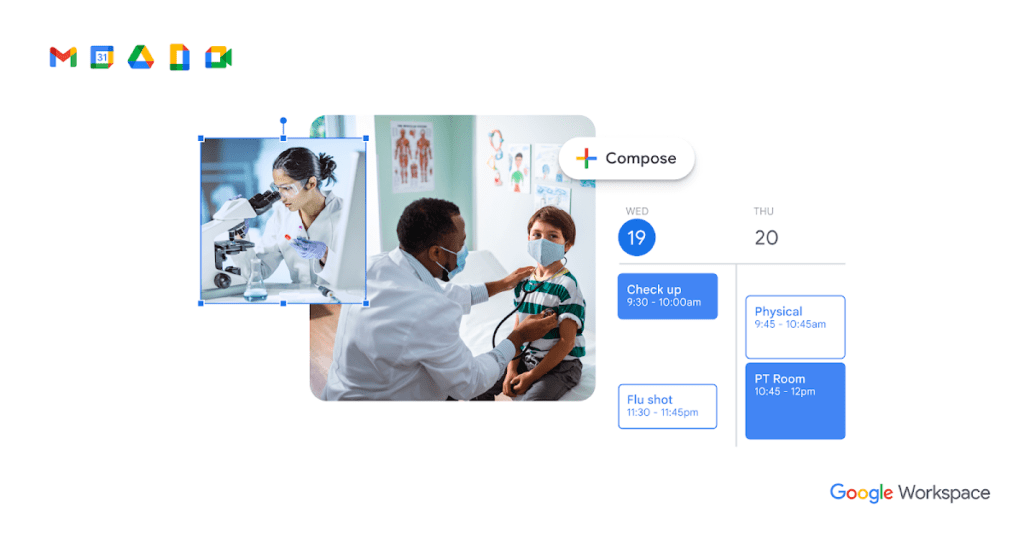
Are you looking to streamline your dental office operations and enhance collaboration? Google Workspace (formerly G Suite) offers a suite of tools that can help you achieve exactly that. From improving communication to simplifying scheduling, managing data securely, fostering collaboration, and even boosting your marketing efforts, Google Workspace provides everything your dental practice needs.
In this post, we will explore how Google Workspace can help your dental office thrive by addressing key pain points that many dental professionals face today. Let’s dive into the features that make Google Workspace a game-changer for dental offices.
1. Efficient Communication with Google Workspace
Effective communication is crucial in any dental practice. Whether you’re dealing with patients, staff, or stakeholders, Google Workspace offers a variety of tools that can help you stay connected and improve your communication processes.
Gmail for Seamless Email Management
Gmail is an essential tool for dental office staff. With its intuitive interface, Gmail allows you to send and receive emails with ease. But what sets Gmail apart in Google Workspace is its ability to integrate with other Google tools, making it easier to manage communications.
Here’s how Gmail can help your dental office:
- Labeling & Filtering: Organize your inbox by labeling emails and creating filters. This makes it easy to prioritize urgent messages and keep your communications streamlined.
- Attachments & Images: Share important files, images (like patient X-rays), and documents with ease.
- Integration with Google Calendar: Schedule meetings or appointments directly from Gmail, without leaving your inbox.
Google Meet for Virtual Appointments and Meetings
As virtual consultations become more popular, Google Meet is an essential tool for any dental office. It offers high-quality video conferencing with features like screen sharing, real-time collaboration, and meeting recording.
With Google Meet, you can:
- Conduct Virtual Appointments: Schedule virtual consultations for patients who are unable to visit in person.
- Collaborate with Staff: Hold staff meetings or training sessions remotely.
- Share Information: Present patient charts, treatment plans, and other documents in real time.
Google Chat for Real-Time Communication
Google Chat enables instant messaging within your dental team. Whether you’re communicating with a colleague or creating group chats for team discussions, Google Chat helps streamline communication and collaboration.
Key benefits include:
- Real-Time Messaging: Send quick messages to your team without the need for email.
- File Sharing: Share documents, images, and links instantly.
- Integration with Google Drive: Attach files directly from your cloud storage without switching apps.
2. Streamlining Scheduling with Google Workspace
Scheduling can be a complex and time-consuming process for a dental office. Thankfully, Google Workspace offers several tools to simplify and automate your scheduling needs.
Google Calendar for Appointment Management
The Calendar is an indispensable tool for scheduling patient appointments. It’s easy to use and integrates seamlessly with other Google Workspace tools.
With Google Calendar, you can:
- Create & Manage Appointments: Schedule patient visits, send reminders, and manage multiple calendars.
- Team Availability: View the availability of other team members to avoid double-booking.
- Appointment Reminders: Send automated email or SMS reminders to patients about their upcoming appointments.
Appointment Slots for Easy Booking
Google Calendar’s Appointment Slots feature allows you to offer patients the ability to book appointments directly on your calendar. This eliminates the need for back-and-forth emails or phone calls.
Here’s how it works:
- Set Available Time Slots: Dental office staff can create blocks of time for specific types of appointments (e.g., cleanings, consultations).
- Patient Self-Booking: Patients can select a time that works for them, reducing administrative burden.
Google Forms for Appointment Requests
Forms can be customized to create intake forms for new patients or appointment requests. You can embed these forms on your website or share them on social media, making it easy for patients to schedule appointments.
Google Forms offers:
- Customizable Forms: Create patient forms that gather necessary details, such as medical history or preferred appointment times.
- Automatic Calendar Integration: Submitted forms can be automatically added to your Google Calendar, keeping everything organized.
3. Secure Data Storage and Management
Protecting patient data is a top priority for any dental office. Google Workspace offers cloud-based storage solutions that ensure your files are safe and easily accessible.
Google Drive for Secure File Storage
Drive is a robust storage solution that allows dental offices to store and share files securely in the cloud. Whether you need to store X-rays, patient intake forms, or treatment plans, Google Drive makes it easy to access files from any device.
Benefits of Google Drive include:
- Collaboration on Documents: Staff members can work on patient forms, reports, or presentations in real time.
- Secure Sharing: Share files with patients or colleagues while maintaining control over access permissions.
- Version History: Track changes made to documents and revert to previous versions if necessary.
Advanced Security Features
Google Workspace prioritizes security with features like:
- Encryption: All files stored in Google Drive are encrypted, ensuring patient data is protected.
- Multi-Factor Authentication (MFA): Adds an extra layer of security by requiring a second form of verification when logging in.
- Data Loss Prevention (DLP): Protects against accidental data sharing by flagging sensitive information.
4. Enhanced Collaboration for Your Dental Team
Effective collaboration is key to providing excellent patient care. Google Workspace fosters real-time collaboration across your team, whether you’re working on treatment plans or preparing for a meeting.
Collaborative Document Editing with Google Docs & Sheets
Google Docs and Google Sheets allow multiple team members to work on the same document or spreadsheet at the same time. This is especially useful for managing patient treatment plans or creating office schedules.
Key features include:
- Real-Time Collaboration: Collaborators can see each other’s changes as they happen.
- Commenting & Suggestions: Team members can leave feedback, ask questions, and make suggestions on documents.
- Offline Access: Access and edit documents even when you don’t have an internet connection.
Google Meet for Virtual Team Meetings
Google Meet isn’t just for patients. You can use it for internal team meetings, training sessions, and more. Its video and screen-sharing features make it easy to collaborate remotely.
5. Boost Your Marketing Efforts
Google Workspace also offers tools to help you market your dental practice effectively and reach new patients.
Google Ads for Targeted Marketing
These can help you attract new patients by targeting specific keywords related to dental services. With Google Ads integrated into Google Workspace, you can:
- Create Ads: Design and launch paid campaigns to increase visibility in search results.
- Track Performance: Use Google Analytics to track the success of your ads and optimize them for better results.
Google My Business for Local Visibility
Google My Business is an essential tool for local businesses, including dental offices. It allows you to manage your online presence across Google, including Search and Maps.
With Google My Business, you can:
- Update Your Business Info: Keep your hours, address, and contact info up to date.
- Post Photos & Updates: Share photos of your office and promote special offers.
- Respond to Reviews: Engage with patients by responding to reviews and feedback.
6. The Final Word: Google Workspace Can Transform Your Dental Office
As a dental office owner or manager, you’re constantly looking for ways to improve efficiency, security, and patient satisfaction. Google Workspace offers a powerful set of tools that can help you achieve all these goals and more. From seamless communication and scheduling to secure data storage and effective marketing, Google Workspace is your one-stop solution for managing and growing your dental practice.
If you’re ready to embrace the future of dental office management, now is the time to make the move to Google Workspace.
Ready to Take the Next Step?
Are you interested in learning more about how Google Workspace can streamline your dental office operations? Reach out to Ikonik Digital at [email protected] for a consultation. Our team can help you develop a strategy tailored to your unique needs, ensuring that your dental practice runs smoothly and efficiently.
Let’s work together to unlock the full potential of your dental office!
The post The Google Workspace Blueprint Every Dental Practice Needs to Streamline Operations appeared first on Ikonik Digital Agency | Digital Marketing & Web Development Agency | Jamaica.
]]>The post Don’t Lose Another Guest: 15 Ways to Supercharge Your Hotel’s Online Booking Experience appeared first on Ikonik Digital Agency | Digital Marketing & Web Development Agency | Jamaica.
]]>15 Ways to Enhance Your Hotel’s Online Booking System for More Revenue
In the competitive world of hospitality, having an efficient and user-friendly online booking system can make or break your hotel’s success. This is particularly true in Jamaica, where tourism is a cornerstone of the economy. A well-designed booking system not only boosts revenue but also improves customer satisfaction and operational efficiency. In this guide, we’ll explore 15 proven strategies to optimize your hotel’s online booking system, ensuring it delivers maximum value for both your business and your guests.
Why an Optimized Booking System Matters
An optimized online booking system simplifies the reservation process, making it easier for customers to book directly with your hotel. This leads to higher conversion rates, increased revenue, and better guest retention. It also reduces reliance on third-party platforms that charge hefty commissions.
For Jamaican hotels, the stakes are even higher. With millions of tourists visiting annually, a seamless booking experience can set you apart from competitors and foster loyalty among both international and local guests.
1. Make It User-Friendly
Your booking system should be intuitive and easy to navigate. Guests should be able to find and book a room in just a few clicks. Ensure buttons are labeled clearly and instructions are simple.
Example: The Intercontinental Hotels Group (IHG) excels in this area by offering a straightforward search bar with filters for location, dates, and room preferences. Guests can view clear pricing and room descriptions without hassle.
Action Step:
- Conduct user testing to identify and fix navigation issues.
- Include clear call-to-action buttons like “Book Now” or “Check Availability.”
2. Optimize for Mobile
With over half of global bookings made on mobile devices, ensuring your platform is mobile-friendly is non-negotiable. A responsive design adapts seamlessly to different screen sizes, providing a smooth user experience.
Example: Marriott International’s mobile site is a benchmark in the industry, offering a clear and intuitive layout optimized for small screens.
Action Step:
- Test your website on various devices to ensure mobile compatibility.
- Use large buttons and simple menus to enhance usability on smaller screens.
3. Include High-Quality Images
Visuals play a significant role in influencing booking decisions. Showcase your rooms, amenities, and surroundings with professional, high-resolution images that highlight your hotel’s best features.
Example: Wynn Las Vegas uses stunning images to portray its luxurious rooms and facilities, enticing potential guests to book.
Action Step:
- Hire a professional photographer to capture your property.
- Regularly update images to reflect any renovations or new features.
4. Offer Promotions and Discounts
Everyone loves a good deal. Use your booking system to showcase promotions like discounts for early bookings, extended stays, or direct bookings.
Example: Hilton Worldwide provides exclusive discounts for direct bookings, making it attractive for guests to bypass third-party platforms.
Action Step:
- Highlight promotions prominently on your homepage and booking pages.
- Use a countdown timer to create urgency for time-sensitive offers.
5. Provide Detailed Information
Transparency builds trust. Include comprehensive details about room types, amenities, rates, and cancellation policies. Guests should have all the information they need to make an informed decision.
Example: The Four Seasons Hotel provides detailed descriptions, room layouts, and clear cancellation policies, reducing confusion and boosting confidence.
Action Step:
- Use bullet points for key information.
- Offer a FAQ section to address common concerns.
6. Enable Online Support
Provide guests with instant help through live chat, email, or phone support integrated into your booking system. This improves the user experience and reduces drop-offs.
Example: The Ritz-Carlton’s live chat feature allows guests to resolve queries in real time, creating a seamless booking experience.
Action Step:
- Implement a chatbot for 24/7 support.
- Train staff to handle inquiries promptly and professionally.
7. Keep It Updated
Regular updates ensure your booking system reflects current rates, availability, and promotions. This reduces errors and enhances reliability.
Example: Hyatt Hotels’ system is consistently updated to ensure accurate information, earning guests’ trust.
Action Step:
- Set reminders to update availability and rates daily.
- Conduct regular audits to identify and fix glitches.
8. Allow Customization
Guests value personalization. Let them select room preferences, add services like breakfast, or request special amenities.
Example: The St. Regis Hotel offers customizable options like room upgrades, spa treatments, and late checkouts directly within their booking system.
Action Step:
- Add options for room preferences and extra services during the booking process.
- Offer packages tailored to specific guest needs, like honeymoon or business bundles.
9. Integrate Reviews and Ratings
Social proof is powerful. Display customer reviews and ratings on your website to build trust and influence potential guests.
Example: The Grand Hyatt Singapore incorporates reviews directly into its booking pages, allowing guests to make decisions based on peer feedback.
Action Step:
- Encourage guests to leave reviews after their stay.
- Respond to all reviews, showcasing your commitment to guest satisfaction.
10. Simplify the Booking Process
Complex booking processes lead to abandoned carts. Streamline your system to require minimal information and steps.
Example: Raffles Hotel Singapore uses a guest checkout option that skips account creation, saving time for busy travelers.
Action Step:
- Limit form fields to essential details.
- Test your process for unnecessary steps and eliminate them.
11. Offer Multiple Payment Options
Flexibility in payment methods caters to a broader audience. Accept credit cards, digital wallets, and PayPal for convenience.
Example: Mandarin Oriental’s system accommodates multiple payment methods, making bookings accessible to a global audience.
Action Step:
- Partner with secure payment gateways.
- Display accepted payment methods prominently.
12. Leverage Social Media
Promote your booking system through social media platforms like Instagram, Facebook, and Twitter. Engaging content and targeted ads can drive traffic to your site.
Example: Four Seasons Hotel’s social media campaigns effectively highlight their property’s best features, boosting direct bookings.
Action Step:
- Share links to your booking system in posts and ads.
- Partner with influencers to expand your reach.
13. Incentivize Direct Bookings
Encourage guests to book directly by offering perks like free Wi-Fi, breakfast, or room upgrades. This reduces reliance on third-party platforms.
Example: Fairmont Hotels’ direct booking incentives include discounted dining and spa services, making them a preferred choice for many travelers.
Action Step:
- Promote direct booking benefits prominently on your website.
- Track and analyze the success of these incentives.
14. Implement Analytics
Track your booking system’s performance using analytics tools. Monitor conversion rates, traffic sources, and customer behavior to identify areas for improvement.
Action Step:
- Use tools like Google Analytics to gain insights.
- Regularly review metrics and adjust your strategy accordingly.
15. Focus on Security
Protecting customer data is critical. Implement robust security measures to safeguard personal and payment information.
Example: Trusted hotels display SSL certificates and comply with data protection regulations, reassuring guests about their security.
Action Step:
- Use HTTPS protocols for secure transactions.
- Regularly update your system to prevent vulnerabilities.
Final Thoughts
Optimizing your hotel’s online booking system isn’t just about technology—it’s about enhancing the guest experience. By implementing the strategies above, you’ll attract more bookings, improve operational efficiency, and strengthen your reputation in Jamaica’s competitive tourism market.
Need expert help with your online booking system? Contact Ikonik Digital at [email protected] to discuss strategies tailored to your hotel’s unique needs. Let’s take your hospitality business to the next level!
The post Don’t Lose Another Guest: 15 Ways to Supercharge Your Hotel’s Online Booking Experience appeared first on Ikonik Digital Agency | Digital Marketing & Web Development Agency | Jamaica.
]]>The post 6 Powerful Benefits of Google Workspace That Could Save Your Business Time and Money appeared first on Ikonik Digital Agency | Digital Marketing & Web Development Agency | Jamaica.
]]>Why Google Workspace is a Game-Changer for Your Business: 6 Key Features You Need to Know
In today’s fast-paced digital world, running a business requires more than just a solid strategy. You need the right tools to stay organized, collaborate efficiently, and communicate effectively. This is where Google Workspace comes into play. While many people associate Google Workspace with email hosting, it offers much more than just a professional email solution.
Google Workspace is a comprehensive suite of intelligent applications designed to streamline your operations and boost productivity. As a business owner or corporate executive, integrating Google Workspace into your workflow can transform the way your team collaborates and communicates. Let’s dive into the six most valuable features that make Google Workspace a must-have for your business.
1. Professional Email Hosting: Custom Email for Your Business
When it comes to professional communication, a custom email address makes a world of difference. With Google Workspace, you can upgrade your email to a secure, reliable system that works seamlessly with all Google applications. The biggest advantage is that you can use your business domain for email addresses (e.g., [email protected]), which boosts your company’s credibility.
But it’s not just about a custom domain. Google Workspace gives you access to Gmail’s best features, including spam protection, a powerful search function, and integration with other Google tools. This makes managing your email both efficient and secure.
Benefits of Google Workspace Email:
- Secure and encrypted communications
- Professional, branded email addresses
- Easy to manage multiple accounts and aliases
- Integrated with Google Calendar, Docs, and other tools for seamless collaboration

2. Google Drive: A Secure Cloud Storage Solution for Your Data
Imagine having all your business data in one central, secure location that’s accessible from any device—whether you’re in the office or working remotely. That’s exactly what Google Drive offers.
With Google Workspace, each employee gets 30GB of storage space, which is perfect for small businesses. For larger organizations, Google Workspace offers plans with unlimited storage, so you never have to worry about running out of space for your files.
Key Features of Google Drive:
- Access from any device, anywhere
- Easy file sharing and collaboration in real time
- Integration with Google Docs, Sheets, and Slides for seamless work
- Granular access control, allowing you to set permissions for different users

3. Collaborate in Real-Time with Docs, Sheets, Slides & Forms
Whether you’re drafting a proposal, preparing a presentation, or analyzing data, Google Workspace provides a suite of tools to help you collaborate efficiently. With Docs, Sheets, Slides, and Forms, your team can work on documents simultaneously, providing live edits and updates.
- Google Docs: Create and collaborate on text documents without worrying about version control.
- Google Sheets: Manage spreadsheets and data with real-time collaboration and powerful formula tools.
- Google Slides: Design presentations and allow multiple team members to contribute simultaneously.
- Google Forms: Easily create surveys or questionnaires, collect responses in real time, and automatically organize the data.
These tools don’t require any extra software or installations, making them ideal for teams that need quick, efficient collaboration.
Why Google Workspace Docs, Sheets, and Slides Matter:
- Real-time collaboration with team members
- Ability to import and export from other software (Word, Excel, PowerPoint)
- Cloud-based, so there’s no need for extra storage or backup

4. Google Calendar: Stay Organized and Keep Everyone on Track
Staying organized is crucial for any business, and Google Calendar makes scheduling effortless. You can create and manage events, meetings, and appointments with just a few clicks. With Google Workspace, you can even set up multiple calendars, so your whole team stays in the loop.
One standout feature is the ability to share calendars with your team or a subset of users. Whether you’re scheduling client calls, setting internal deadlines, or planning team events, Google Calendar helps everyone stay on the same page.
Key Features of Google Calendar:
- Create multiple calendars for different teams, departments, or projects
- Share your calendar with others to coordinate schedules
- Send automatic reminders for meetings and deadlines
- Sync seamlessly with other Google Workspace apps, like Gmail and Google Meet

5. Google Meet: Video Conferencing Made Simple
Video calls have become the cornerstone of business communication, especially in today’s remote work environment. Google Meet offers an easy, effective way to conduct video conferences with up to 250 participants. All you need is a meeting link—no downloads or complicated setups required.
Beyond just video calls, Google Meet includes useful features such as live polling, text-based chat, and the ability to share screens and files during meetings. Whether you’re conducting an internal team meeting or hosting a webinar, Google Meet makes it simple and professional.
Why Choose Google Meet:
- No downloads required—just click a link to join
- Real-time collaboration with features like live polling and screen sharing
- Ability to host large meetings with up to 250 participants
- Seamless integration with Google Calendar for easy scheduling
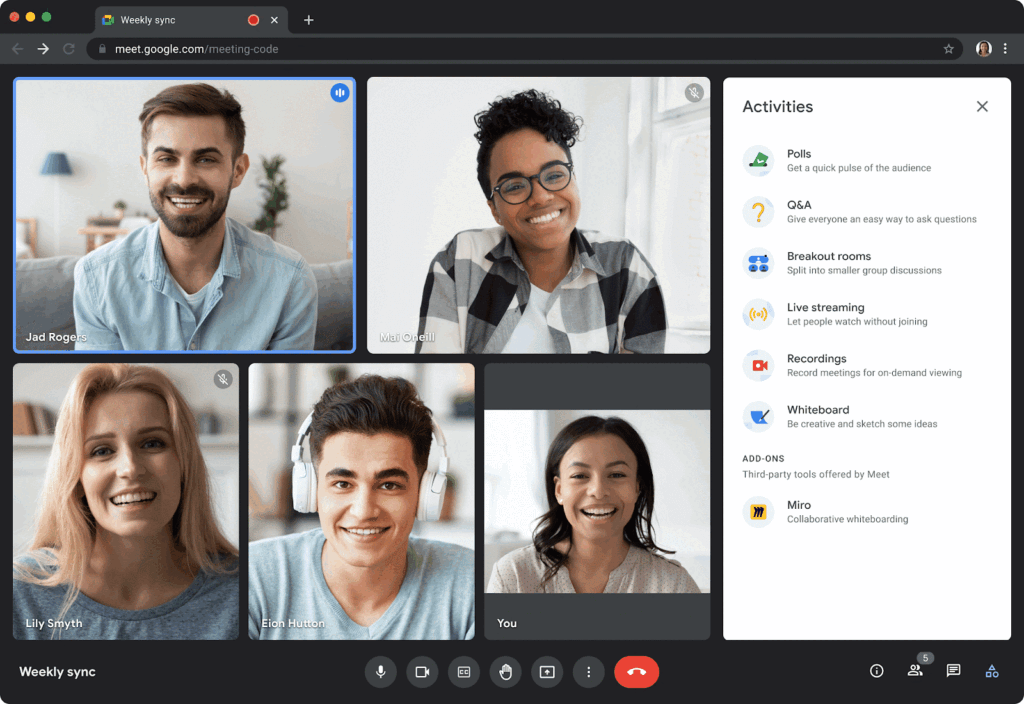
6. Admin Console: Manage Your Business Operations Efficiently
Google Workspace’s Admin Console is a game-changer for business owners. It gives you a centralized location to manage users, security settings, and devices across your entire organization.
From the Admin Console, you can:
- Set up custom email domains for your business
- Add new users and create custom groups
- Manage security settings, including two-factor authentication (2FA) for added protection
- Track and audit user activities and usage across Google Workspace apps
The Admin Console puts the power of centralized management at your fingertips, making it easier to ensure that your business runs smoothly and securely.
Key Features of the Admin Console:
- Easy user and group management
- Robust security controls for protecting your data
- Activity and usage reporting to track business performance
- Ability to integrate third-party apps for additional functionality

In Conclusion: Why Google Workspace is Essential for Your Business
Whether you’re managing email communication, collaborating on documents, or organizing schedules, Google Workspace offers a suite of powerful tools to streamline your operations and boost productivity. By integrating Google Workspace into your workflow, you’ll not only improve team collaboration but also enhance data security and manageability.
From email hosting to real-time collaboration tools, Google Workspace adapts to the unique needs of your business, no matter its size. Plus, with an intuitive admin console, you can easily manage your team’s accounts and ensure your business remains secure.
If you need assistance setting up Google Workspace for your company or need help training your staff on its features, we’re here to help. At Ikonik Digital, we specialize in helping businesses optimize their workflows and take full advantage of digital tools like Google Workspace.
Ready to Transform Your Business with Google Workspace?
Don’t wait to start enjoying the benefits of Google Workspace. Reach out to us at [email protected] for a consultation or if you have any questions about setting up Google Workspace for your company. Let’s take your business to the next level!
Unlock the full potential of Google Workspace for your business today! Contact Ikonik Digital for assistance with setup, training, and ongoing support. We’re here to help you get the most out of this powerful tool. Reach out now at [email protected].
The post 6 Powerful Benefits of Google Workspace That Could Save Your Business Time and Money appeared first on Ikonik Digital Agency | Digital Marketing & Web Development Agency | Jamaica.
]]>